Reports & records · 8 min read
Check your records as you go
See what is already saved and add anything useful while the year is still fresh.
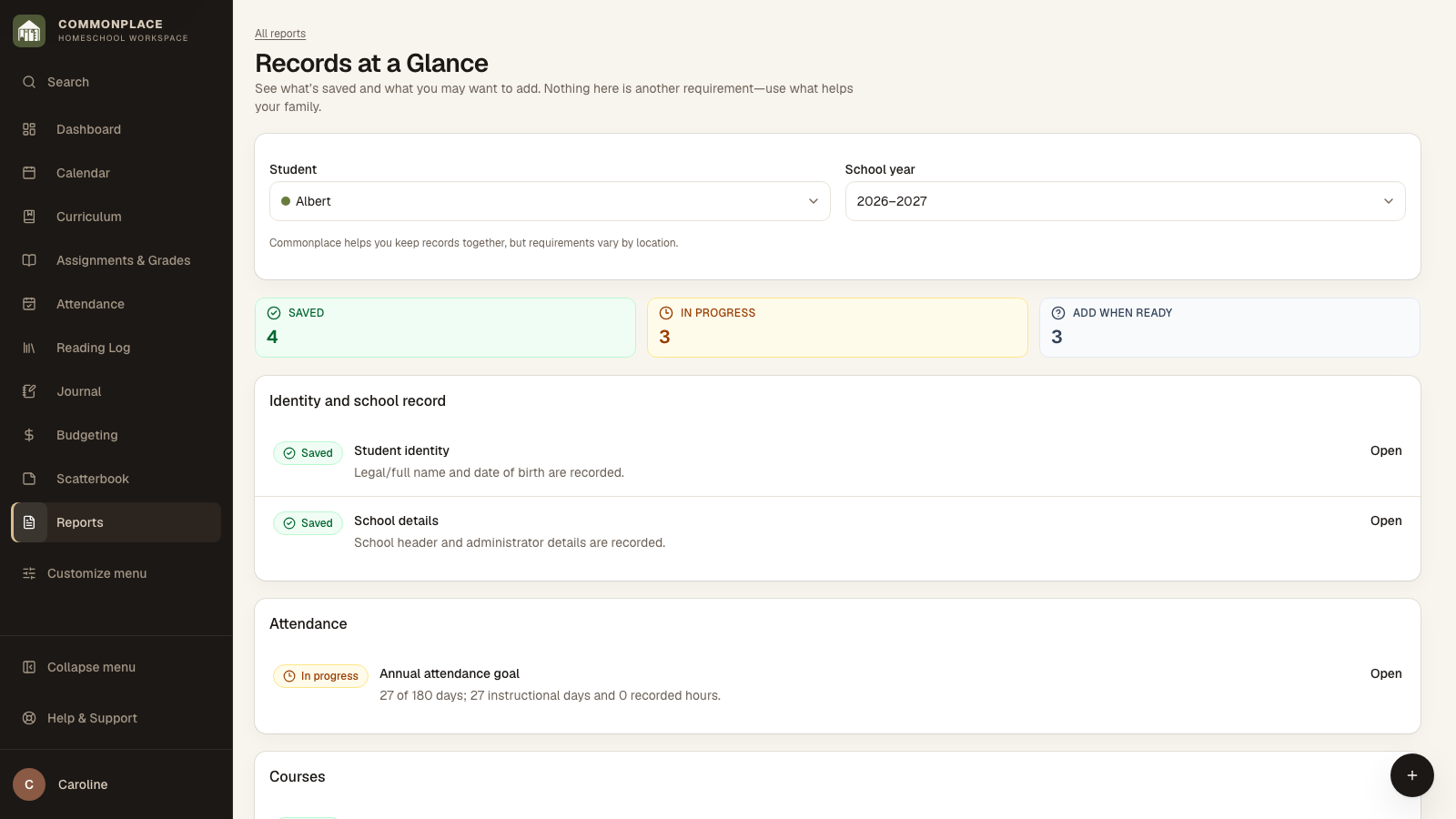
Open this area in CommonplaceRecords at a Glance shows what is already saved and what you may want to add while the details are still fresh. It is a gentle check-in, not another requirement to keep up with.
- 1
Open Records at a Glance
Choose the student and school year to see what is saved, what is in progress, and what you may want to add when it is useful.
- 2
Check attendance
Look over dates, totals, and notes, then make an attendance record if you need one.
- 3
Review courses
Confirm course titles, descriptions, completion status, final grades, grade levels, and credit values where applicable.
- 4
Review supporting records
Check reading, activities, curriculum, portfolio items, and school identity details.
- 5
Choose your reports
Create only the grade report, progress report, course of study, transcript, portfolio, or other documents your family needs.
- 6
Make a Year in Review if you want one
Year in Review is the family keepsake: books, outings, journal notes, photos, and finished work gathered into the story of the year. It is separate from the record check-in.
- 7
Assemble a record packet
Use Record Packet to combine selected records into a single organized package.
- 8
Export your data
Use Backup & Export under Homeschool Setup for a readable CSV archive, a complete JSON data backup, or a copy of uploaded photos and files in addition to finished PDFs.