Keep records · 6 min read
Keep a reading log
Track books for each student and family read-alouds, including completion and portfolio details.
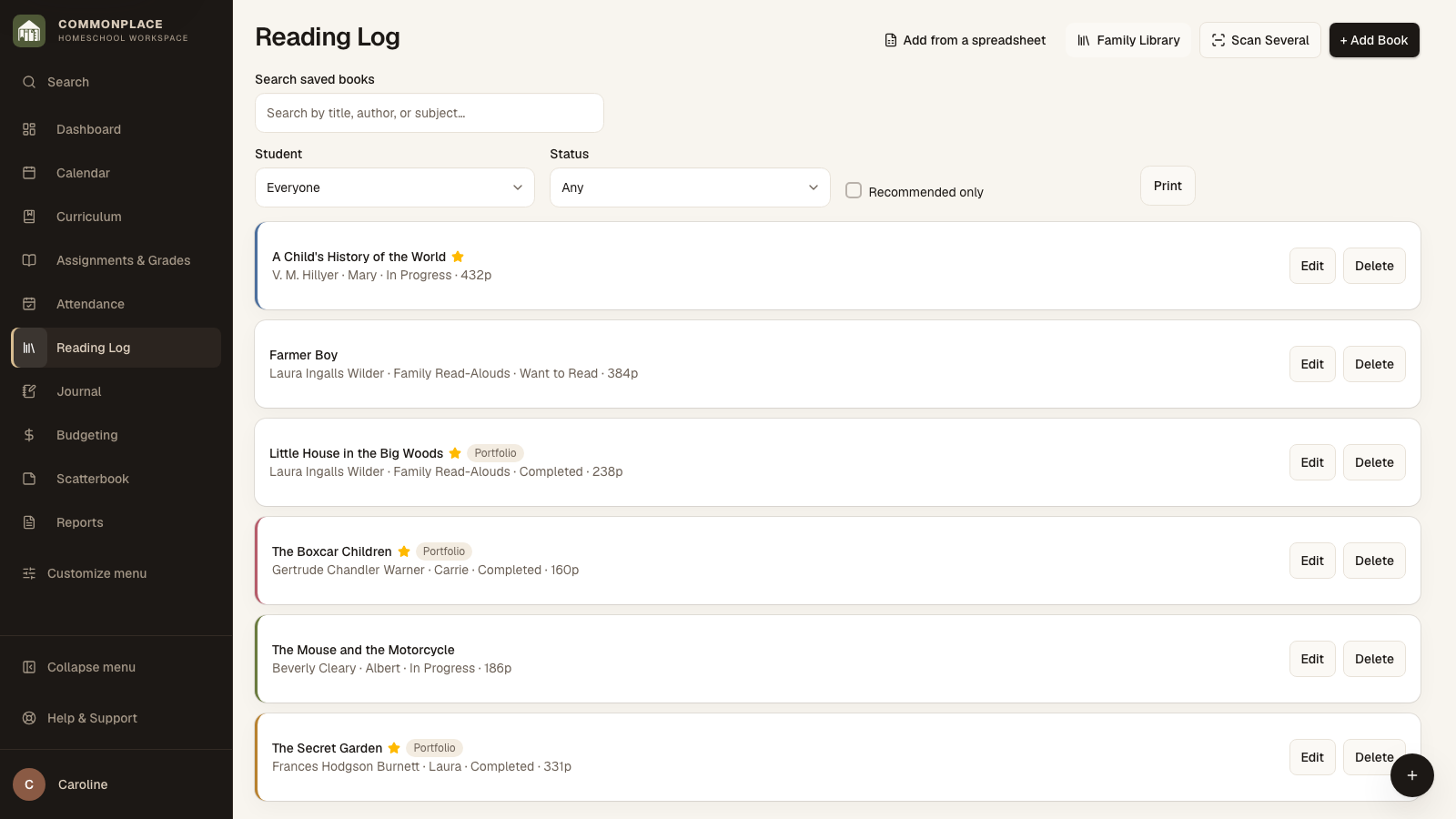
Open this area in CommonplaceThe reading log keeps independent reading and family read-alouds together while preserving the student, school year, status, source, and subject details used in reports.
- 1
Select Add Book
Search by ISBN when available or enter the title and author yourself.
- 2
Choose the reader
Under Who is this for?, choose Whole family, One child, or Choose children for shared reading. Whole-family books appear under Family Read-Alouds in the reading log.
- 3
Set status and source
Choose Want to Read, In Progress, or Completed, and note where the book came from when that will be useful later.
- 4
Add useful details
Open Book details for the source, page count, subject, and curriculum connection. Open Library and book link for a return date or link, and Notes and recommendation for your notes and whether you recommend the book. Closing a section keeps your entries.
- 5
Choose portfolio inclusion
Include in Portfolio is visible without opening extra details and starts checked for new books. You can uncheck it in Reading Log, Quick Add, Offline Notebook, multiple-book entry, or spreadsheet import review. Existing books keep their saved choice.
- 6
Choose whether book notes appear in a portfolio
Notes stay in your reading log. When preparing a portfolio, leave Include book notes unchecked for a compact numbered list of titles and authors, or check it to add general book notes and notes for the selected child. Selected photos and work samples appear separately under Reading highlights, with their captions and portfolio notes.
- 7
Browse the Family Library
Open Family Library to see the same title gathered across children and school years. Books are matched by ISBN when available, or by title and author. Each child’s reading record still stays separate.
- 8
Filter or print
Filter the Reading Log by year, student, status, or recommendation, then use the print option or create a Reading List report.