Reports & records · 8 min read

Create reports and official records

Choose the right report, review its source records, and create a clear final document.

Open this area in Commonplace

Reports reuse information already saved throughout Commonplace. The finished document draws from the student, school year, school details, and records you have chosen to keep.

42 seconds · No sound needed

From course records to a transcript

Keep assignment scores with the course they belong to. Choose your student and the school years to include.

Open the sample PDF ↗
Read the video captions
  1. Keep assignment scores with the course they belong to.
  2. Choose your student and the school years to include.
  3. Review courses still in progress before saving.
  4. Only mark a course Completed when it is finished.
  5. A separate completed-year example: four credits and a 3.50 GPA.
  6. Course descriptions can accompany the academic record.
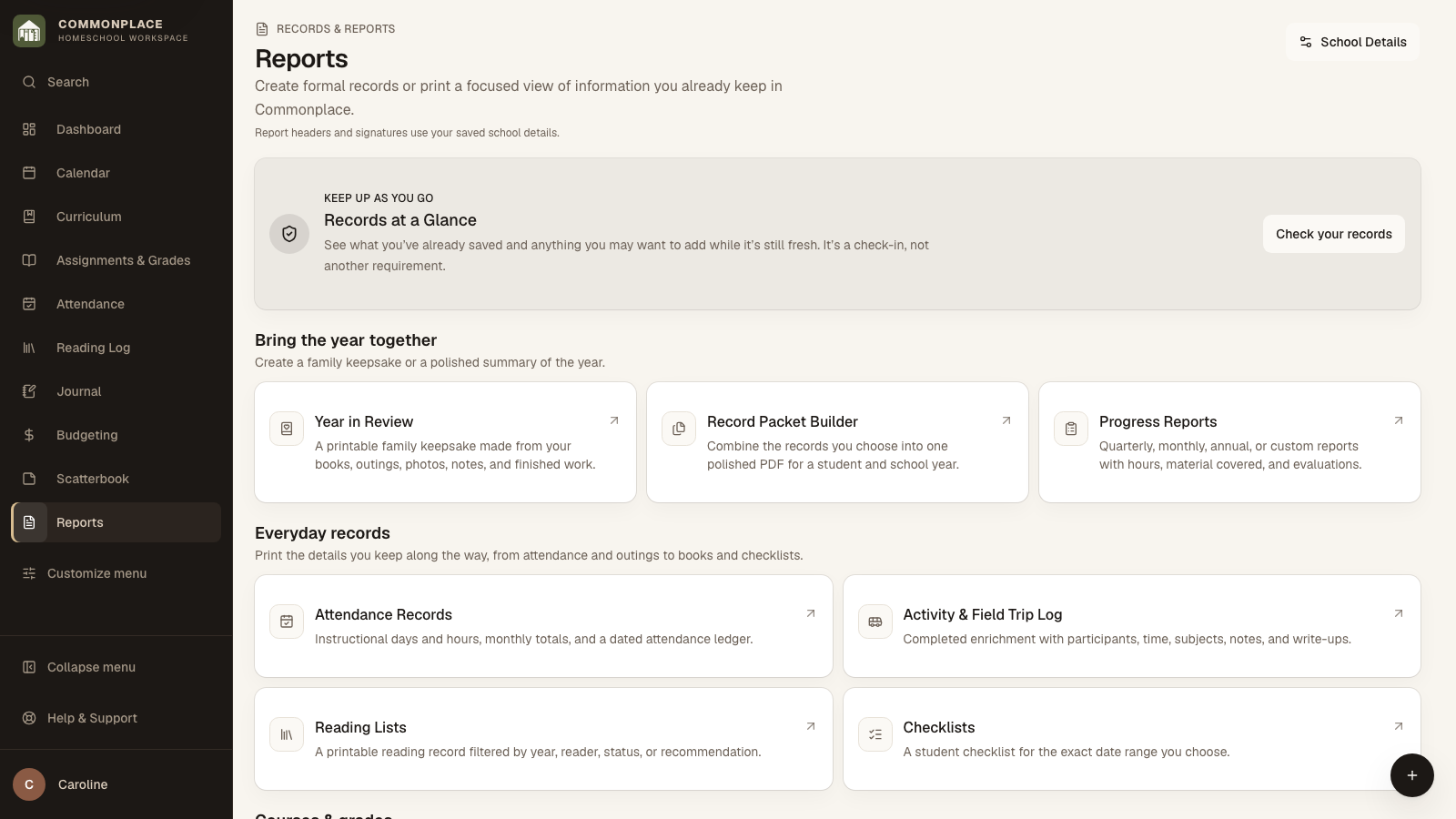
Commonplace reports area for the fictional Ingalls family
Fictional family data shown.
  1. 1

    Complete School Details for Reports

    Add the homeschool name and formal details you want on official documents before generating reports.

  2. 2

    Choose what you need

    Open Reports to find a check-in, a family keepsake, everyday printable records, or official student records. The groups describe what each item is for, not how important it is.

  3. 3

    Select the student and period

    Choose the student, school year, term, reporting period, or custom dates required by that report.

  4. 4

    Review the source information

    Check Records at a Glance or open the records used by the report. If the report offers a preview, review that too. Go back to the original entry to correct any details.

  5. 5

    Generate the document

    Choose Open to generate a PDF from the records currently in Commonplace. Save new transcript, Save a new portfolio, and Save new version keep dated PDFs that stay unchanged when you edit records later. None of these actions sends a report to a school or evaluator.

  6. 6

    Know whether the report is live or saved

    Attendance, grade, reading, activity, checklist, and course-of-study reports use the records currently in Commonplace each time you open them. Portfolios, transcripts, progress reports, and record packets can also keep saved final versions.

  7. 7

    Keep the copy you shared

    Save a final version when that option appears, or save the PDF you submit, so later edits do not change the record you already shared.