Getting started · 4 min read

Review the day with Daily Check-In

See what was already saved for the day and add anything else worth keeping.

Open this area in Commonplace

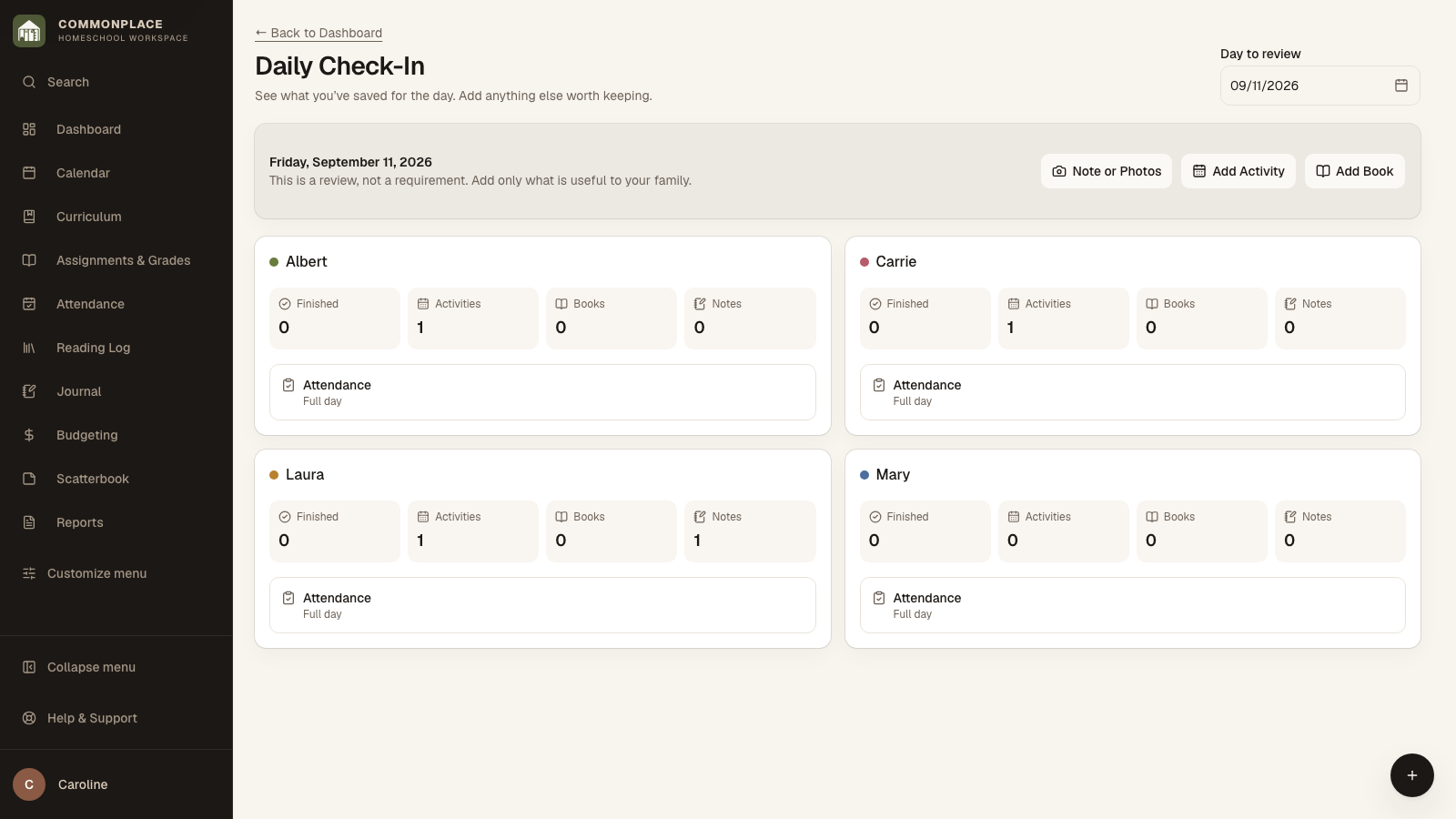
Daily Check-In is a quick look back at the day, not another list to complete. It gathers records that are already in Commonplace so you can notice anything useful while the details are still fresh.

39 seconds · No sound needed

Your family’s day, all in one place

Mark attendance, check off work, keep a memory, and revisit yesterday’s shared activity.

Read the video captions
  1. See your family’s day in one place.
  2. Record attendance for everyone.
  3. Check off work without losing your place.
  4. Keep the little moments, too.
  5. Go back when something needs a change.
  6. Edit a shared entry once for both children.
  7. Commonplace · Homeschool workspace
Commonplace Daily Check-In for the fictional Ingalls family
Fictional family data shown.
  1. 1

    Open Review Today

    Choose Review Today from the Dashboard. Commonplace starts with today, but you can choose another date when you need to catch up.

  2. 2

    Look over each child’s day

    See finished checklist items, activities, completed books, journal notes, and the attendance already saved for each student.

  3. 3

    Add only what is useful

    Use Note or Photos, Add Activity, or Add Book when something from the day is worth keeping. You do not need to fill every area.

  4. 4

    Check attendance

    If attendance has not been recorded, choose Review Attendance for that child. When the student has no entry of their own for that date, their attendance may already come from the Whole Family entry.

  5. 5

    Move on when the day looks right

    Daily Check-In does not create a second copy of anything. It simply shows what Commonplace already has for the date you chose.